Elevate Your Virtual Tours: Adding an Interactive Map Box with PanoCool
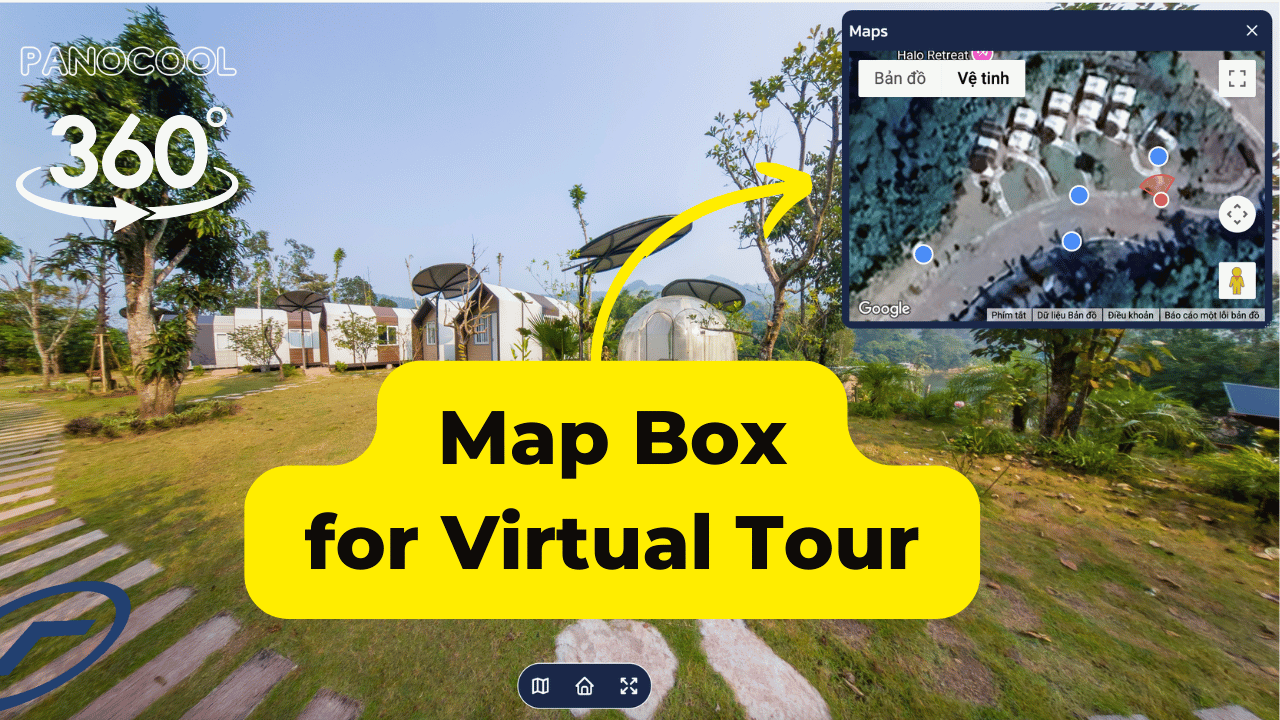
In the world of 360° photography, context is everything. When a viewer is exploring a large property or a complex venue, they need to know exactly where they are and which direction they are facing.
Today, we’re excited to walk you through one of our most powerful navigation features: the PanoCool Map Box. With live directional radar and fully customizable markers, this tool is a game-changer for professional real estate projects.
Why Use a Map Box?
A Map Box isn't just a UI element; it’s a navigation hub. In PanoCool, your viewers can:
- Track Their Location: See the current panorama’s position in real-time.
- Understand Orientation: A built-in directional radar indicates exactly which way the viewer is looking.
- Teleport Instantly: Click any marker on the map to jump directly to that panorama.
- Customize the View: Users can resize the map or drag it to any position on the screen to keep the view clear.
Step-by-Step: Setting Up Your Map
Setting up your map in PanoCool is designed to be as automated as possible. Here is how to do it:
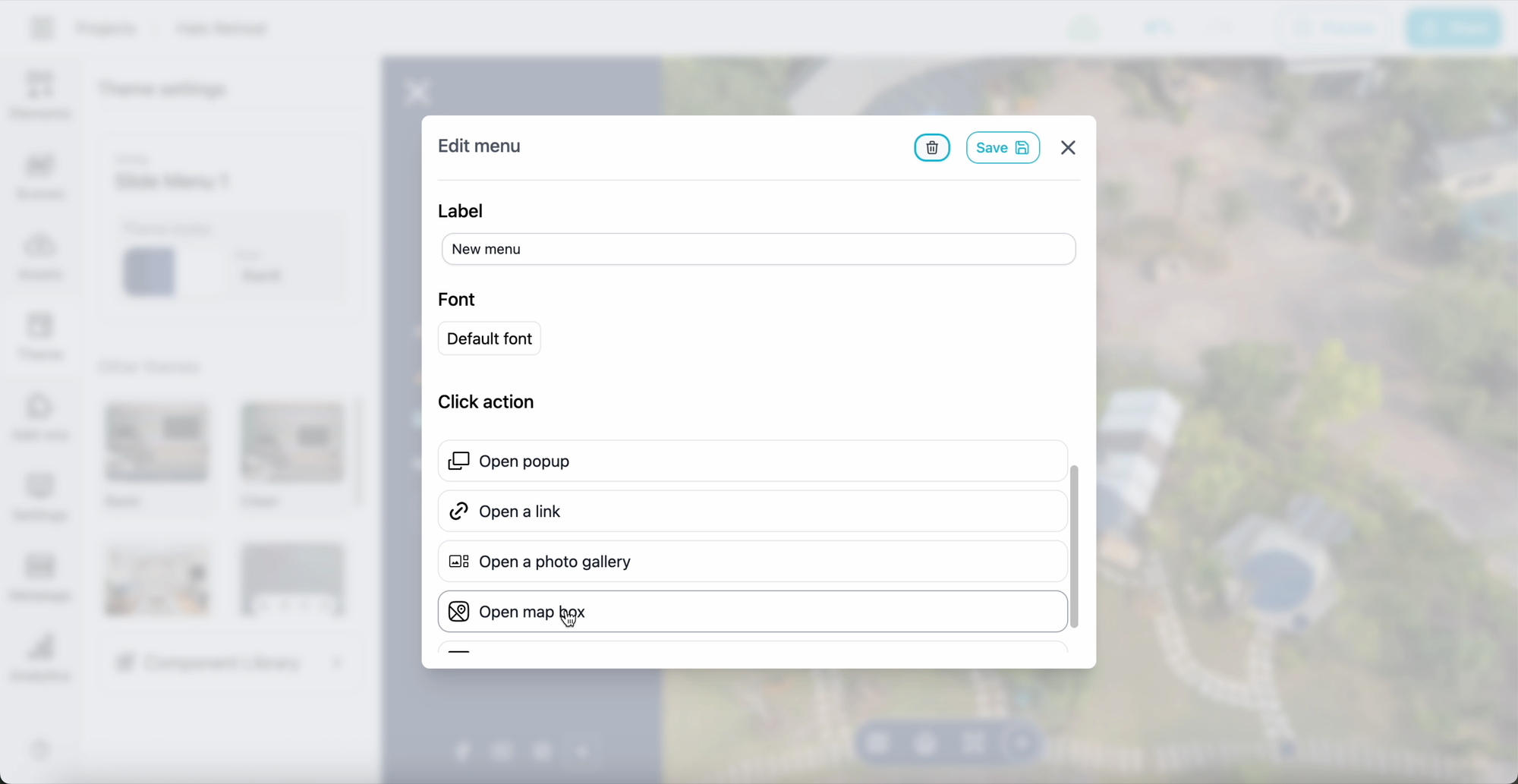
1. Enable the Map Box Action
From the Theme tab, click "Add a new menu." In the action section, select "Open a Map Box." This creates the trigger for your viewers to toggle the map overlay.
2. Auto-Generate Your Markers
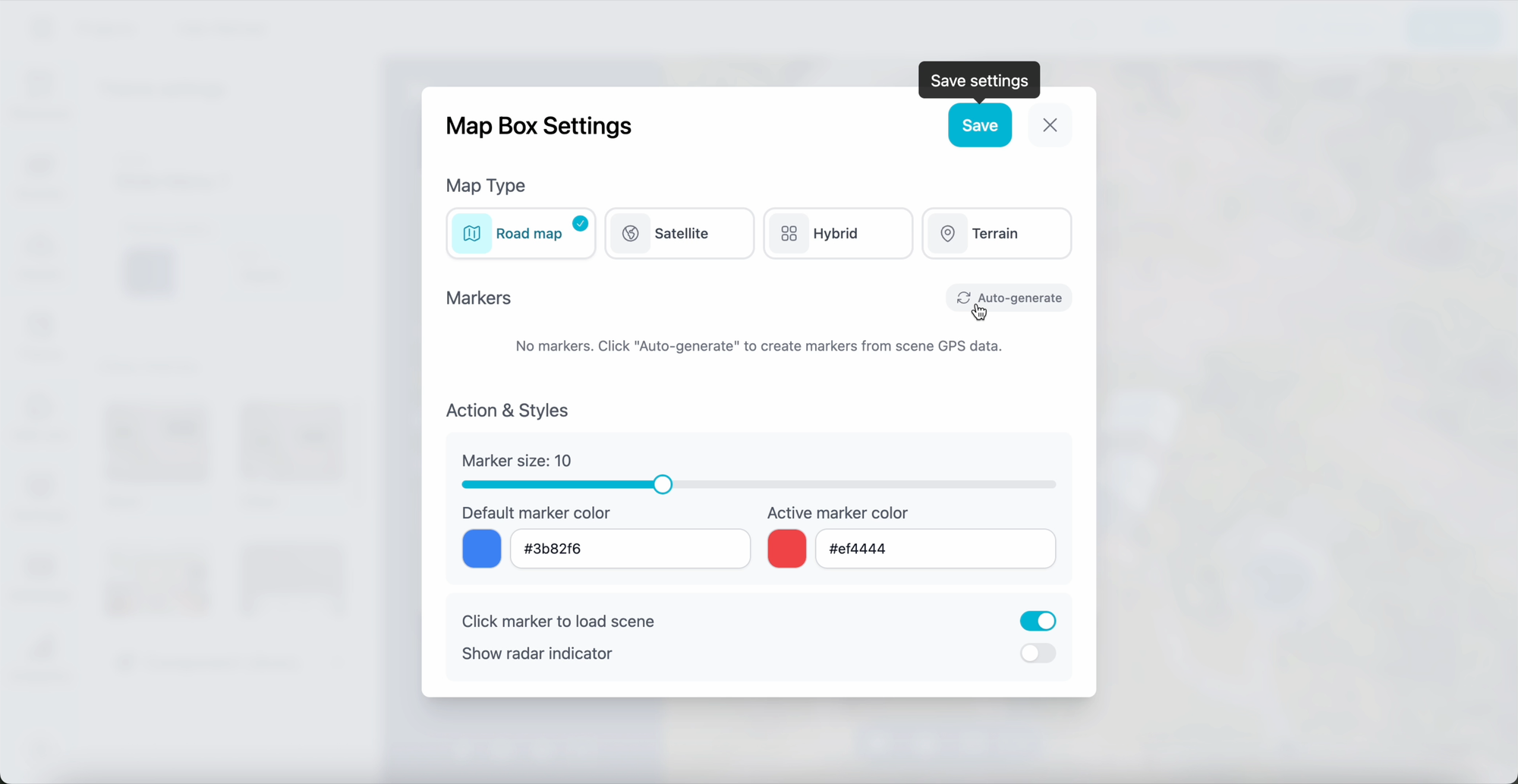
Open the Map Box setup and click "Auto Generate."
Pro Tip: This button uses the GPS data embedded in your photos. If your camera didn't record location data, don't worry! You can manually set the coordinates by going to the Scenes tab > Settings > Location for each panorama.
3. Customize colors & size for markers
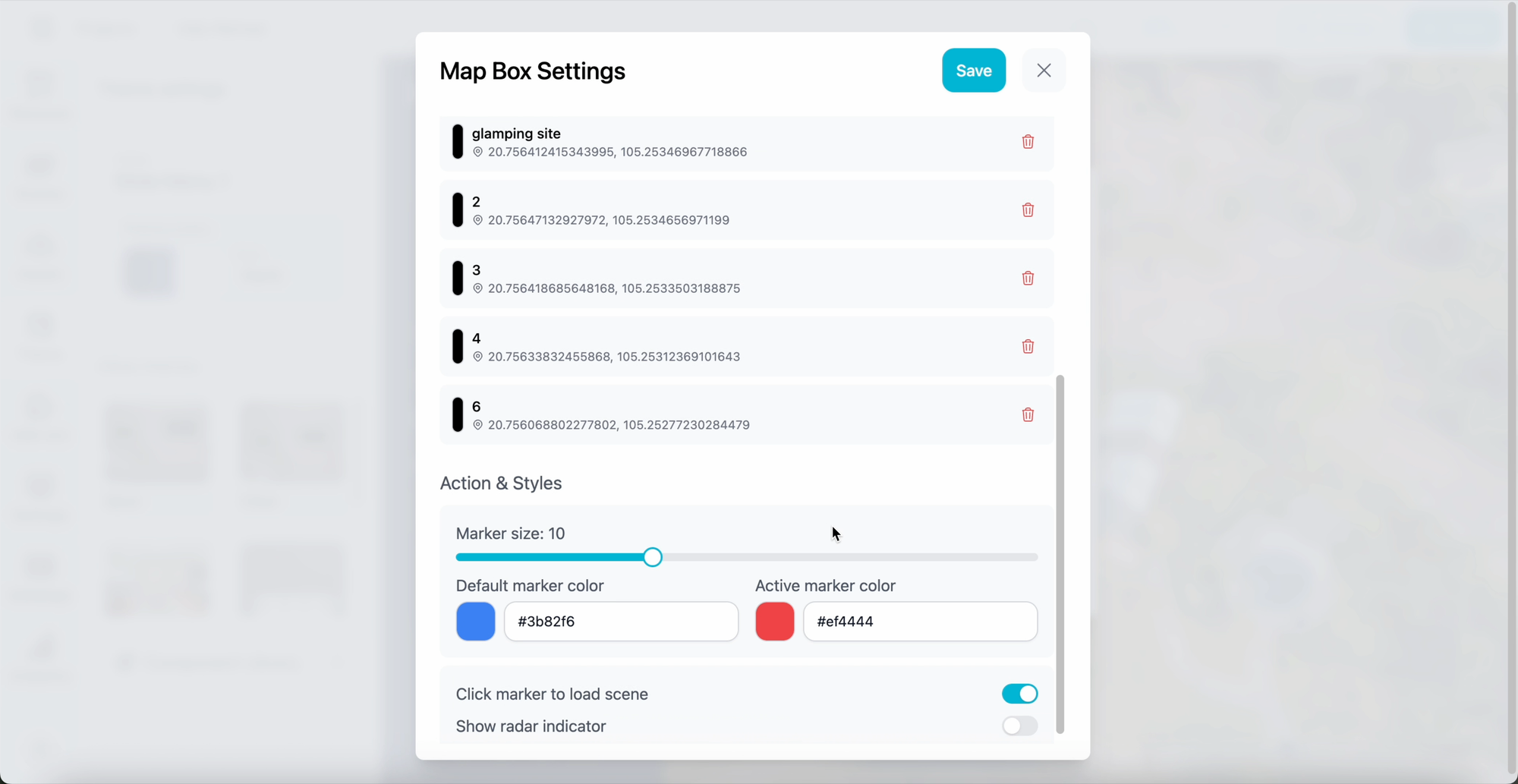
Once your markers appear, you have full control. You can see a complete list of all markers, allowing you to:
- Change Colors and Sizes to match your project's branding.
- Remove Specific Markers to keep the map clean and focused.
- Enable the Radar Icon to provide that essential "sense of direction" for your viewers.
The Real Estate Advantage
For real estate professionals, the combination of a floor plan and a directional radar is essential. It allows potential buyers to understand the flow of a home—knowing, for example, that they are currently in the kitchen looking toward the backyard. This level of immersion builds trust and helps close deals faster.
Try PanoCool Virtual Tour Studio at: https://pano.cool