Circle Portal: The New Advanced Hotspot for PanoCool Virtual Tours
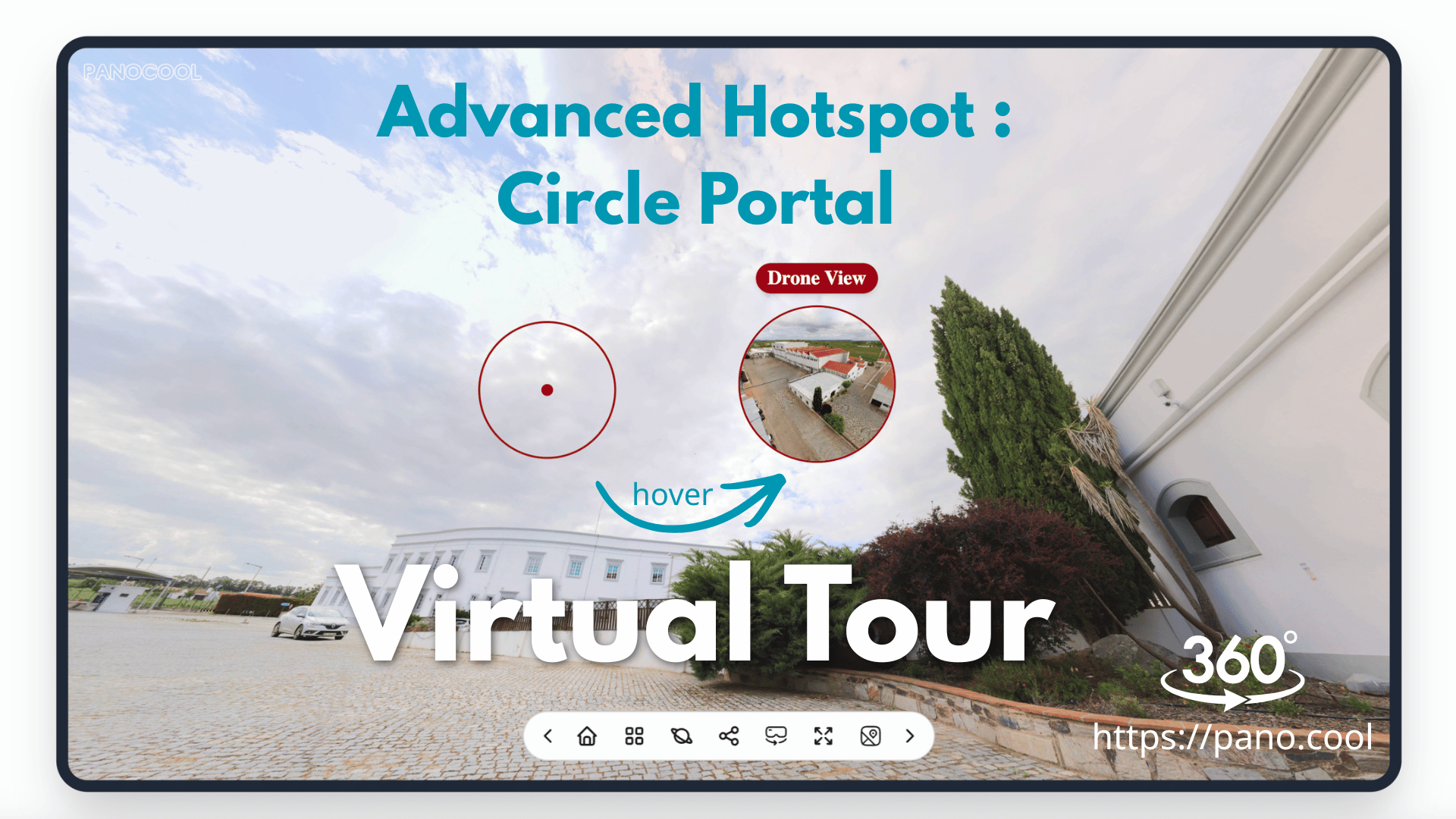
When building virtual tours, balancing a clean visual aesthetic with interactive information can be a challenge. Traditional icons can sometimes clutter a beautiful 360 photo. Circle Portal solves this by offering an ultra-minimal design that transforms dynamically when your guests interact with it.
What is a Circle Portal?
The Circle Portal is a minimalist hotspot that displays as a subtle, thin ring inside your 360° scene. It stays out of the way to preserve the beauty of your photography until a user interacts with it.
Key Interactive Features:
- Hover Preview: When a user moves their mouse over the circle, a smooth image preview instantly fades in directly inside the ring.
- Smart Text Titles: A clean text title automatically slides out outside of the circle on hover, providing instant context without blocking the view.
Powerful Action Triggers
Like our standard hotspots, the Circle Portal is fully integrated into the PanoCool interaction engine. You can assign it to trigger any action your tour requires:
- Scene Navigation: Connect rooms together for a smooth, contextual walkthrough experience.
- Info Popups: Open details about amenities, check-in rules, or product information.
- Web Links: Send users to direct booking pages or external listings.
- Media Galleries: Open a collection of flat photos or showcase detailed close-ups.
100% Fully Customizable
Every virtual tour has its own unique style, which is why Circle Portals are completely customizable inside the PanoCool Editor. Select any Circle Portal to open its settings panel, where you can easily adjust:
- Size: Scale the ring up or down to fit the scale of your room.
- Colors: Use the color picker to match the portal to your brand identity or the room’s aesthetic.
- Title Placement: Choose exactly where the text pops up—above, below, left, or right of the circle.
How to Try It Today
Circle Portal is officially live for all users. To add one to your tour:
- Open your project inside PanoCool Studio.
- Drag a new hotspot onto your scene.
- In the properties panel, change the hotspot style to Circle Portal.
- Upload your preview image, set your text, and choose your action.
Log in to pano.cool today and elevate your virtual tours with a cleaner, more professional look!
Youtube Video: