How a 360 Virtual Tour Can Transform the Way Families Explore Your School
Choosing a school is an important decision for every family. Before arranging a visit, parents and students often want to understand the campus, learning environment, facilities, and overall atmosphere.
Photographs and traditional videos can provide an introduction, but they only show selected viewpoints. A 360 school virtual tour offers something more engaging: the freedom to look around, move between locations, and explore the campus at an individual pace.
A Practical Virtual Tour Template for Schools
An effective school virtual tour should feel like a welcoming, guided campus visit. While every school is different, the following structure provides a versatile template that can be adapted to most educational institutions.
1. Aerial Campus Introduction
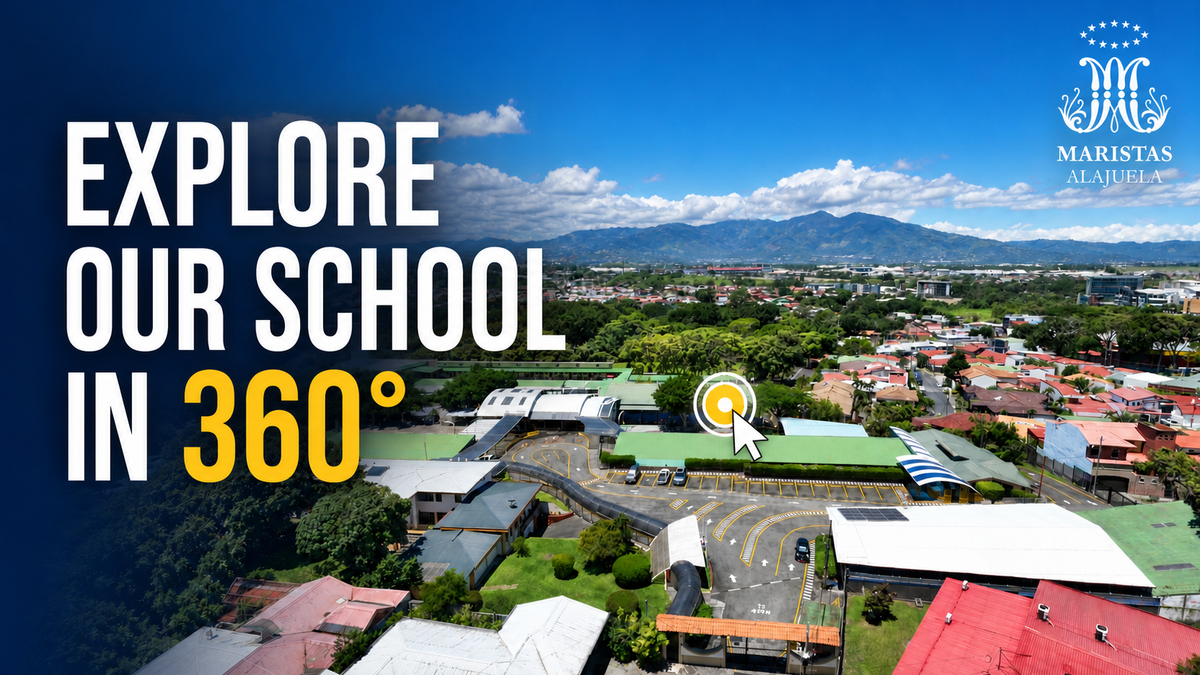
Begin with an aerial panorama that presents the campus, its surrounding area, and its overall scale. This creates a strong first impression and gives visitors a useful visual overview.
2. Welcome and Reception
Guide visitors to the main entrance and reception area. This helps families understand where their in-person experience would begin and introduces the school’s identity.
3. Classrooms and Learning Environments
Show representative classrooms from different educational levels. Visitors should be able to look around and understand the layout, equipment, lighting, and atmosphere of each space.
4. Libraries and Resource Centers
Highlight spaces that support independent study, reading, collaboration, and access to learning materials.
5. Science and Technology Facilities
Include chemistry, biology, physics, STEAM, computer, and robotics laboratories. These locations help demonstrate the school’s investment in practical learning and modern education.
6. Creative and Community Spaces
Introduce art rooms, music classrooms, auditoriums, dining areas, chapels, and other spaces that contribute to student life beyond traditional lessons.
7. Sports and Outdoor Facilities
Show gymnasiums, playgrounds, courts, football fields, and outdoor activity areas. These scenes provide a more complete picture of the student experience.
8. Clear Navigation and Interactive Hotspots
A well-organized menu allows visitors to move directly to important locations. Interactive hotspots can connect panoramas, display information, open media, or guide visitors naturally through the campus.
9. Closing View and Call to Action
Finish with another strong campus view, followed by the school’s contact information or an invitation to arrange an in-person visit.
This structure can be reused and customized for primary schools, high schools, colleges, universities, academies, and other educational institutions.
The Benefits of a School Virtual Tour
Welcome Families from Anywhere
A virtual tour allows prospective students and parents to explore the school without being limited by distance, travel schedules, or opening hours.
Build Confidence Before a Visit
Seeing real classrooms, laboratories, shared spaces, and sports facilities can help families feel more familiar and confident before arriving on campus.
Present Facilities More Effectively
Unlike a collection of static photographs, a 360° tour shows how different areas are arranged and connected. Visitors gain a clearer understanding of the campus and its facilities.
Create a More Engaging Website Experience
Interactive exploration encourages visitors to spend more time discovering the school. It turns a standard website visit into an experience that feels personal and memorable.
Support Admissions and School Marketing
A virtual tour can become a valuable part of admissions campaigns, open-day promotions, social media content, presentations, and communication with international families.
Keep the Campus Accessible Online
When an in-person visit is not possible, the virtual tour remains available as a consistent and convenient introduction to the school.
Creating School Virtual Tours with PanoCool
PanoCool Virtual Tour Studio helps creators transform 360° photographs into organized, interactive virtual-tour experiences.
With PanoCool, a school tour can bring multiple campus locations together through an intuitive navigation menu. Creators can connect panoramas with hotspots, add useful information, and design an experience that guides visitors naturally from the campus overview to classrooms, laboratories, community spaces, and sports facilities.
The result is a professional digital experience that schools can share through their website, marketing campaigns, and social-media channels.
PanoCool School Virtual Tour Showcase
Our latest showcase explores Colegio Marista Alajuela through an interactive 360° campus tour. The video presents the aerial campus view, reception, classrooms, resource center, laboratories, robotics and creative spaces, auditorium, chapel, gymnasium, football field, and more.
It demonstrates how a school can use a virtual tour to present its educational environment clearly while giving families the freedom to explore.
Watch the school virtual tour showcase on YouTube:
Bring Your School Online in 360°
A school is more than a collection of buildings. It is a place for learning, creativity, community, personal development, and new opportunities.
A thoughtfully designed virtual tour helps communicate that complete experience. With a reusable school-tour structure and PanoCool Virtual Tour Studio, schools and virtual-tour creators can build an engaging campus presentation that is accessible to families anywhere.
Discover what is possible with PanoCool and start creating your own interactive school virtual tour today.