3DVista alternatives in 2026: 6 tools compared on price, hosting and ease of use
3DVista costs $499 upfront, plus €149 a year for new features and hosting on top. Six alternatives compared on price, hosting, upgrades and ease of use, with prices checked on 23 October 2026.
3DVista Virtual Tour Pro is one of the most complete tools for 360° tours, and many professionals swear by it. It is also desktop software with a $499 license, a real learning curve, and hosting you set up yourself or rent separately. For a photographer or agent starting out, that is a lot of money and setup before the first tour goes live.
This comparison is for people who want a professional tour without that start: a small monthly fee instead of a large one-time payment, a link to share the same day, and a tour you can keep editing after it's live.
We checked every price on the vendor's own website on 23 October 2026. Full disclosure: PanoCool is ours. We list it first because it was built for exactly this, then the rest in the order we find most useful.
Try it free: PanoCool runs in your browser, has unlimited projects on the free plan, and paid plans start at $9 a month.
At a glance
Of the tools we checked, PanoCool is the only one that runs in the browser, hosts the tour for you and links your scenes with AI, and you can start it for $0. Prices are in the vendor's own currency, checked on 23 October 2026.
Tool | Price | Runs in | Hosting | Free option | Links scenes for you |
|---|---|---|---|---|---|
$9/month or $90/year | Browser | Included, unlimited views | Free plan, unlimited projects | Yes (AI Auto Connect, plus floor plan and 3D view) | |
3DVista Virtual Tour Pro | $499 one-time, then €149 per year of upgrades | Windows or macOS app | Your server, or 3DVista Hosting from €99/year | 30-day trial, watermark | Yes (Connect Panoramas, an upgrade feature) |
€499 one-time or €360/year | Desktop app | Your own server | Trial with watermark | None found | |
$24/month or $20/month yearly | Browser | Included | Basic, 300 posts | None listed | |
$22/month or $200/year | Browser | Included | Unlimited projects, 3 GB | None confirmed | |
$22.50/month yearly (3 projects) | Browser | Included | Offered, limits not stated | None in the tour editor | |
$25/month or $250/year | Browser | Included | 3 projects | None listed |
1. PanoCool: start small, share today, edit live
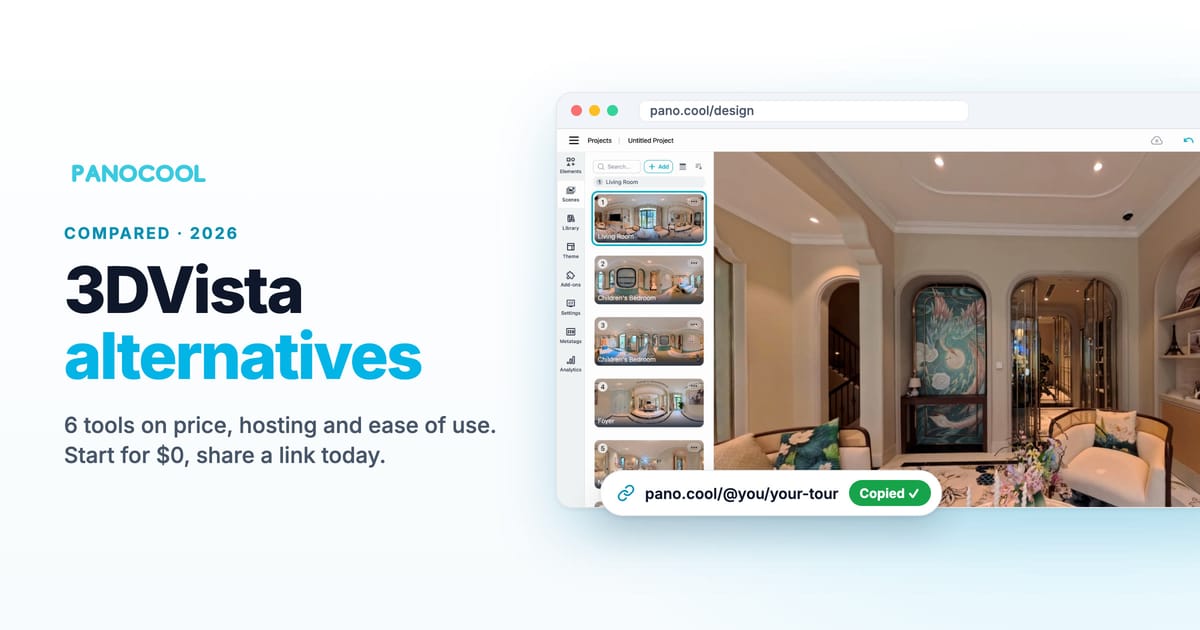
PanoCool is a 360° tour studio that runs in your browser and hosts the tour for you. Here is how it differs from 3DVista:
- Quick to learn. Drop your photos on the page and each one becomes a scene. Link them, pick a theme, click Share. Short videos in the Learning Center cover each feature, and the built-in assistant answers questions while you work.
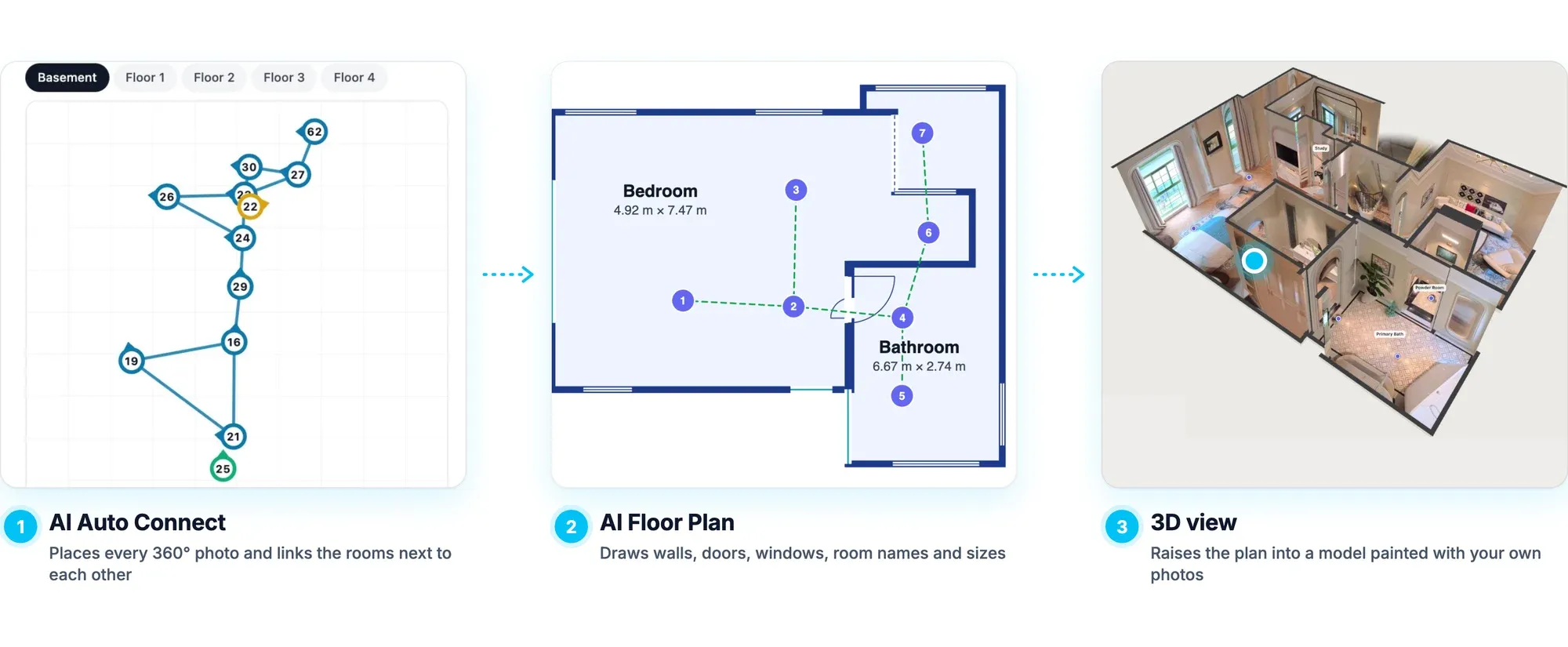
- AI Auto Connect. AI Auto Connect works out where each photo was taken, places it on a floor plan and links the rooms next to each other: up to 100 scenes in one run, about five minutes for 30. AI Floor Plan then draws the rooms, and the 3D view raises them into a model.
- A small monthly fee instead of a large one-time payment. Start free, then pay $9 a month, or $90 a year. 3DVista's $499 license alone equals more than five years of PanoCool's Cool plan.
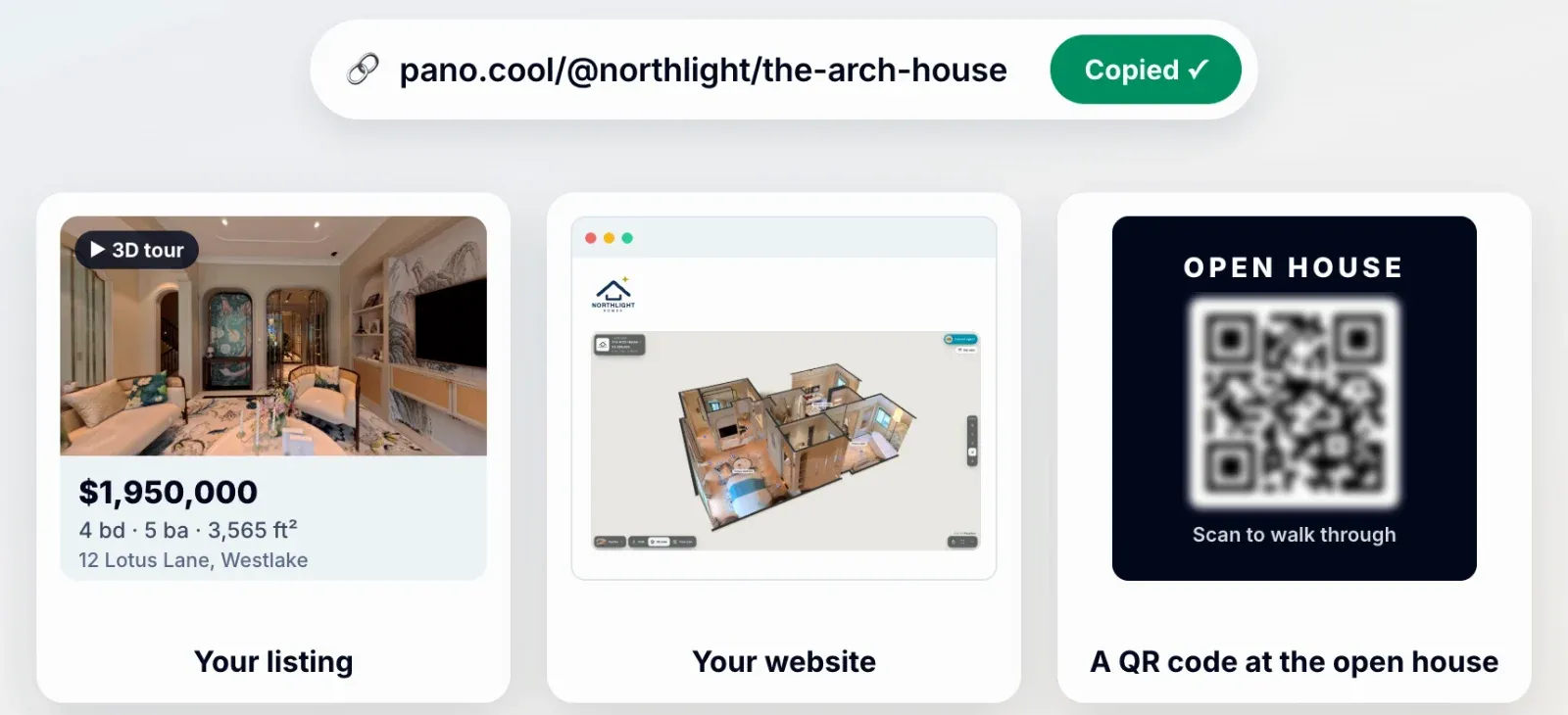
- Hosting is included. Every tour gets a link, an embed code and a QR code the moment you share it. There is no server, FTP or hosting plan to manage, and views are unlimited, with no daily traffic cap. Use your own domain if you want one (5 on Cool).
- Upgrades are free. PanoCool shipped 23 new features between April and October 2026, including AI Auto Connect, AI floor plans, the 3D view and multi-language tours, with no upgrade fee. (3DVista includes one year of upgrades, then charges €149 for each further year of new features.) See What's New.
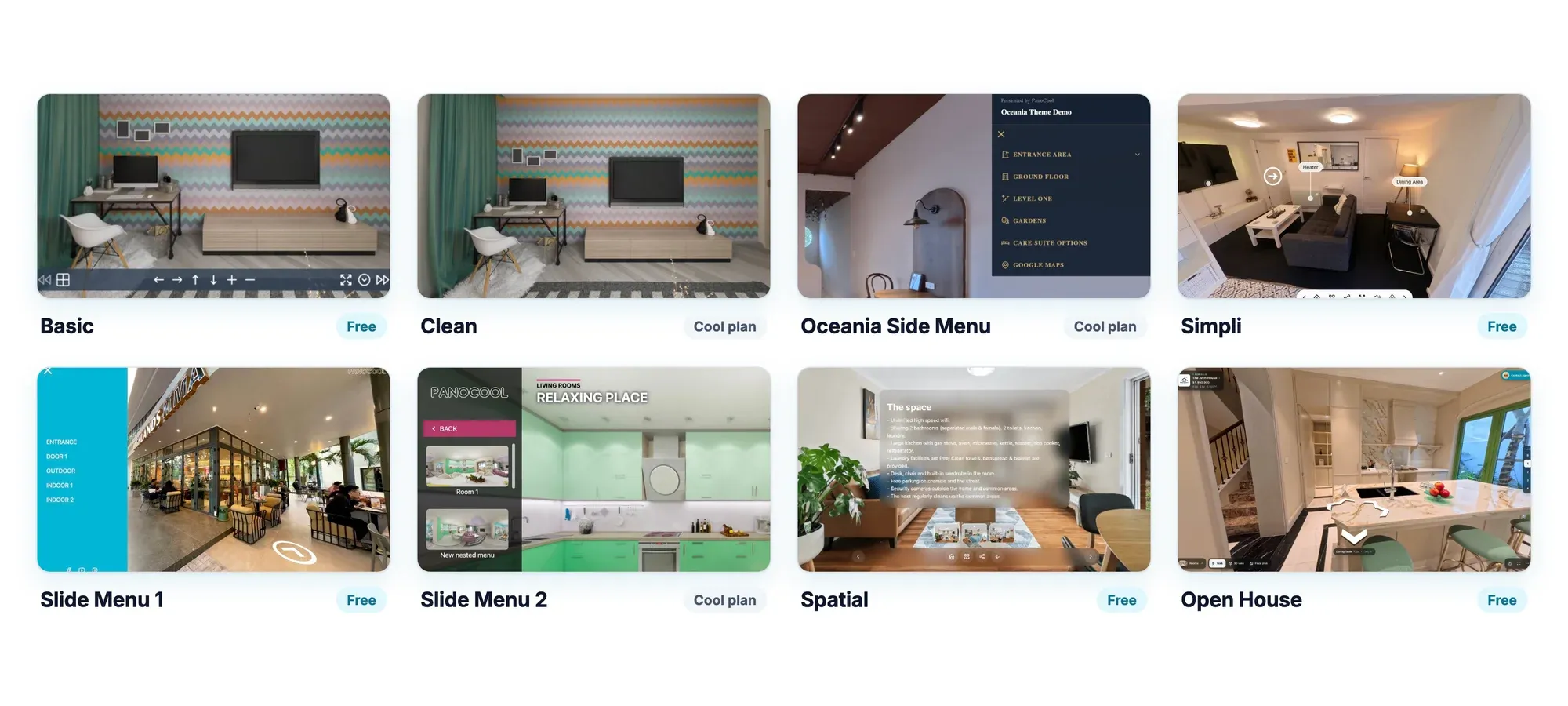
- Themes and templates included. Pick from 9 ready-made themes (6 on the free plan), including Open House for real estate. Switching theme takes one click and keeps your menus, logo and text. Templates turn any view into a social post or a branded QR card.
- Edit the live tour. Change a hotspot, swap a photo or fix a typo from any computer's browser, and the saved change appears at the same link. There is no project file to keep on one machine and nothing to publish again.
Prices: the free plan has unlimited projects and panoramas with 500 MB of storage. Cool is $9 a month or $90 a year (50 GB, 80 AI edits a month, premium themes, your own logo). Super Cool is $39 a month or $390 a year (250 GB, 400 AI edits a month, White Label, 360° video, multi-language tours, collaborators). AI Auto Connect, floor plans and the 3D view cost one AI edit per scene. See every plan.
What it doesn't do: PanoCool has no quizzes or SCORM packages for e-learning. And if you cancel a paid plan, its tours go offline, so download them first ($9 per project on Cool, included on Super Cool).
Best for: photographers, agents and agencies who want to start small, share tours the same day and keep them up to date without a hosting setup.
PanoCool vs 3DVista, side by side
PanoCool costs less to start, includes hosting and new features, and runs in any browser. 3DVista gives you a perpetual license, more control and offline playback.
PanoCool | 3DVista Virtual Tour Pro | |
|---|---|---|
To start | $0 on the free plan, or $9 a month | $499 one-time |
New features | Included on every plan | First year included, then €149 per year (source) |
Where you edit | Any computer's browser | The Windows or macOS computer that has the project |
Hosting | Included: link, embed code and QR code from Share | Your own server, or 3DVista Hosting from €99 a year |
Traffic | Unlimited views | Hosting plans cap daily traffic (3 GB a day on Starter); over it, tours pause until midnight UTC |
Changing a live tour | Save in the browser; the same link shows the change | Edit in the app, then publish again (3DVista Hosting uploads only the changes) |
Linking scenes | AI Auto Connect, plus AI floor plan and 3D view | Connect Panoramas, an upgrade feature |
Looks | 9 themes (6 on the free plan), switched in one click | Ready-made skins in the app, plus free and paid skins on its marketplace |
Learning | Drop photos, link, share; short videos and an in-app assistant | A full desktop tool with many settings; free videos, a quick guide and a forum |
Quizzes and SCORM | No | Yes |
Offline playback | Offline export on Super Cool | Standalone app for PC and Mac |
2. Pano2VR
Pano2VR is the closest like-for-like swap: desktop software from Garden Gnome in Austria, €499 for a perpetual license (€400 per extra user) or €360 a year. It gives full control of the player's look, with maps, floor plans, Street View, VR in the headset's browser, and HTML5 output for your own server. Like 3DVista, it leaves hosting to you; Garden Gnome offers none. Its AI image patch runs on tokens (250 free, then €10 per 250). The trial never expires but adds a watermark.
Best for: photographers who like 3DVista's control but prefer a subscription option.
3. Kuula
Pro costs $24 a month or $20 billed yearly ($240), and adds floor plans, your own logo and Google Street View publishing. Business is $48 a month or $36 billed yearly ($432), with a custom domain. We found no way to download a tour to host it elsewhere, and Kuula lists no tool that links scenes for you.
Best for: photographers who want to publish fast and value its community.
4. Panoee
Pro is $22 a month, or $200 a year as Pro+, with two custom domains, Street View publishing, floor plans and maps. White label is in Enterprise ($99 a month). Downloading a project to host yourself is a one-time $19 per project.
Best for: people who want to start free with several tours.
5. CloudPano
CloudPano is built for real estate and local businesses. Pro is $22.50 a month billed yearly, for 3 published projects. Pro Plus is $33 a month billed yearly or $49 monthly, and adds white label, floor plans and a dollhouse view; its plan page also lists downloading tours to host anywhere, without stating the terms. Street View uploads are listed at $9.99 each.
Best for: agents who sell tours to local businesses.
6. Lapentor
Lapentor : Premium is $25 a month or $250 a year with no project limit. Downloading a project to host yourself costs $10 per project. It has floor plans and Google Maps, and lists no Street View publishing or AI tools. It's a long time no updates.
Best for: people who want to pay little and occasionally move a tour to their own host.
When to stay with 3DVista
Stay with 3DVista if you build training with graded quizzes, run live guided tours, or need every tour to play offline. It plays offline as a standalone app on PC and Mac, and it makes SCORM-compliant tours with quiz cards and scoring for a learning platform. Its live guided tours, with a video call inside the tour, are included at no extra charge. PanoCool has no quizzes, SCORM or live guided tours, and its offline export needs Super Cool.
It also suits people who already own a license and like full control over every detail of the player. If that's you, the €149 upgrade year is optional; the software keeps working without it.
What three years cost
Over three years, PanoCool's Cool plan costs $270 with hosting and every new feature included. 3DVista costs €1,094 with yearly upgrades and its smallest hosting plan. The table assumes yearly billing and the prices checked on 23 October 2026.
Option | Three years | What it includes |
|---|---|---|
PanoCool Cool | $270 | Hosting, unlimited views, every new feature, 80 AI edits a month |
Panoee Pro+ | $600 | Hosting; downloads $19 per project |
Kuula Pro | $720 | Hosting |
Lapentor Premium | $750 | Hosting; downloads $10 per project |
3DVista Virtual Tour Pro, your own server | €499 plus your hosting | First-year upgrades only |
3DVista Virtual Tour Pro, upgrades and Starter hosting | €1,094 | Upgrades every year; 1 GB of hosting with 3 GB of traffic a day |
Pano2VR subscription | €1,080 | The software; hosting is yours |
PanoCool Super Cool | $1,170 | White Label, every download, 360° video, 400 AI edits a month |
The 3DVista figure is €499 for the license, €149 of upgrades in each of years two and three, and €99 a year for Starter hosting, before the free months of hosting that come with a new license.
How to move your tours from 3DVista
Your 360° photos move; the 3DVista skin, hotspots and settings don't. Every tool here imports the same 2:1 panoramas you loaded into 3DVista (also called equirectangular images).
In PanoCool it takes four steps:
- Collect the original panoramas you used in 3DVista, at full resolution.
- Drop them on pano.cool/design; each photo becomes a scene.
- Run AI Auto Connect to link the scenes, then add hotspots and pick a theme.
- Click Share and swap the old embed code on your website for PanoCool's.
Our AI Auto Connect guide walks through a whole house.
How to choose
- You want to start small and pay monthly: PanoCool (free, then $9 a month).
- You want hosting included and to edit from any computer: PanoCool, Kuula or Panoee.
- You want a desktop tool with a one-time license: 3DVista or Pano2VR.
- You build training with quizzes, SCORM or live guided tours: 3DVista.
- You want to start free with many tours: PanoCool (unlimited projects, 500 MB) or Panoee (unlimited projects, 3 GB).
- You run an agency with client brands: PanoCool Super Cool (White Label, unlimited custom domains), CloudPano Pro Plus or Panoee Enterprise.
Ready to try it? Upload your 360° photos to PanoCool and share the tour today. The free plan has unlimited projects. Cool, at $9 a month, adds 80 AI edits a month for AI Auto Connect, floor plans and retouching.
Frequently asked questions
How much does 3DVista cost in 2026?
3DVista Virtual Tour Pro is $499 (€499) one-time, with one year of upgrades. After that, €149 buys each further year of new features. 3DVista Hosting starts at €99 a year, and the trial lasts 30 days with a watermark. Prices from 3dvista.com, October 2026.
Do I have to pay for 3DVista upgrades?
Only for new features after the first year. A year of upgrades costs €149, and you keep what it unlocks. Bug-fix updates stay free, and the software keeps working if you never buy one.
Is there a free alternative to 3DVista?
PanoCool's free plan has unlimited projects and panoramas with 500 MB of storage, and hosting is included. Panoee's free plan has unlimited projects with 3 GB. Pano2VR offers a trial that never expires but adds a watermark.
Can I change a tour after it's published?
In PanoCool, edit the tour in any browser and the saved change appears at the same link. In 3DVista, you edit in the desktop app and publish again; 3DVista Hosting uploads only the changes, and your own server needs the new exported files.
Is PanoCool easier to learn than 3DVista?
PanoCool's editor runs in the browser: drop the photos, link them or let AI Auto Connect do it, pick a theme and share. 3DVista is a full desktop tool with more settings, backed by free videos, a quick guide and a forum.
Can I move my 3DVista tours to PanoCool?
Your 360° photos, yes; the 3DVista skin and hotspots, no. Upload the original panoramas to PanoCool, run AI Auto Connect to link them, add hotspots and share the new link.
Does PanoCool support SCORM or offline tours?
PanoCool has no SCORM packages or graded quizzes; for those, 3DVista is the better fit. Tours can be downloaded for offline use on the Super Cool plan.