How to Share 360 Photos on WhatsApp
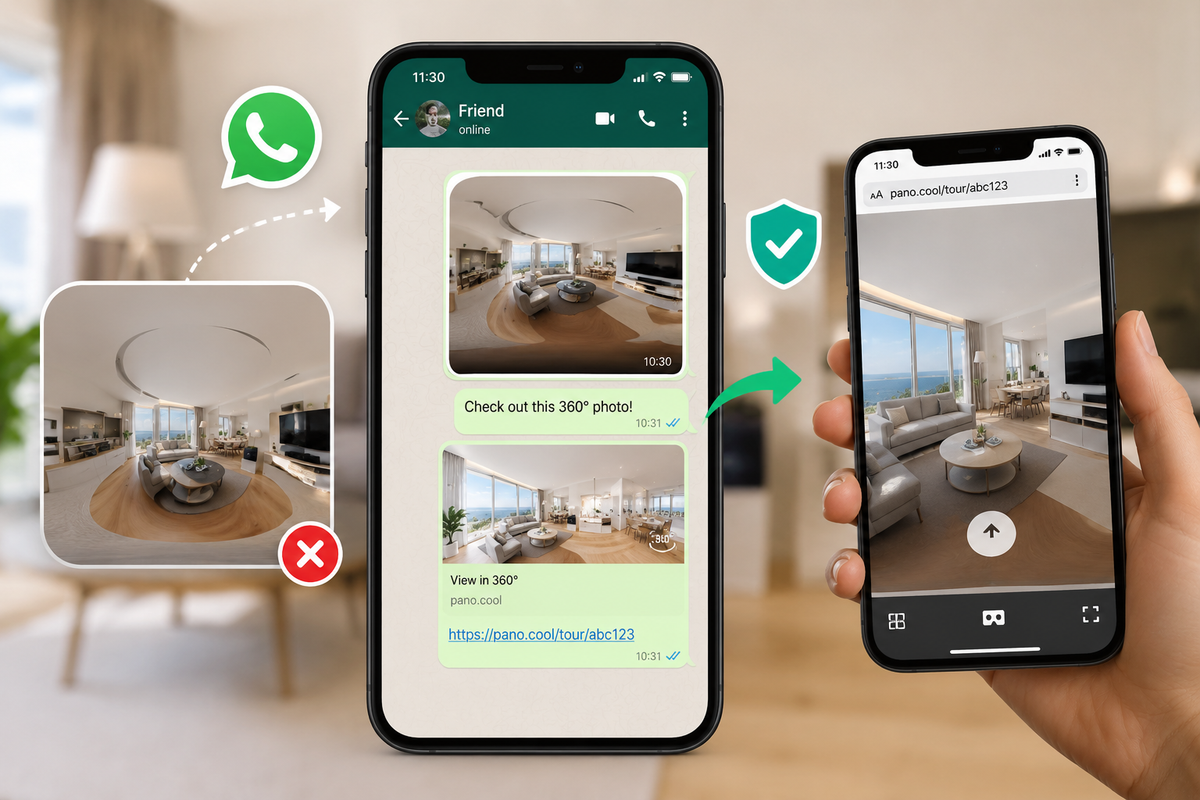
When you send a 360-degree photo directly through WhatsApp, the app flattens and distorts the image. Because WhatsApp does not support interactive 360° viewing, your recipient cannot look around the photo.
To share a fully interactive 360° view on WhatsApp, you can use PanoCool to generate a viewable link. No app installation or account registration is required.
Step-by-Step Guide
Step 1: Upload your photo to PanoCool
- Open your web browser and go to pano.cool.
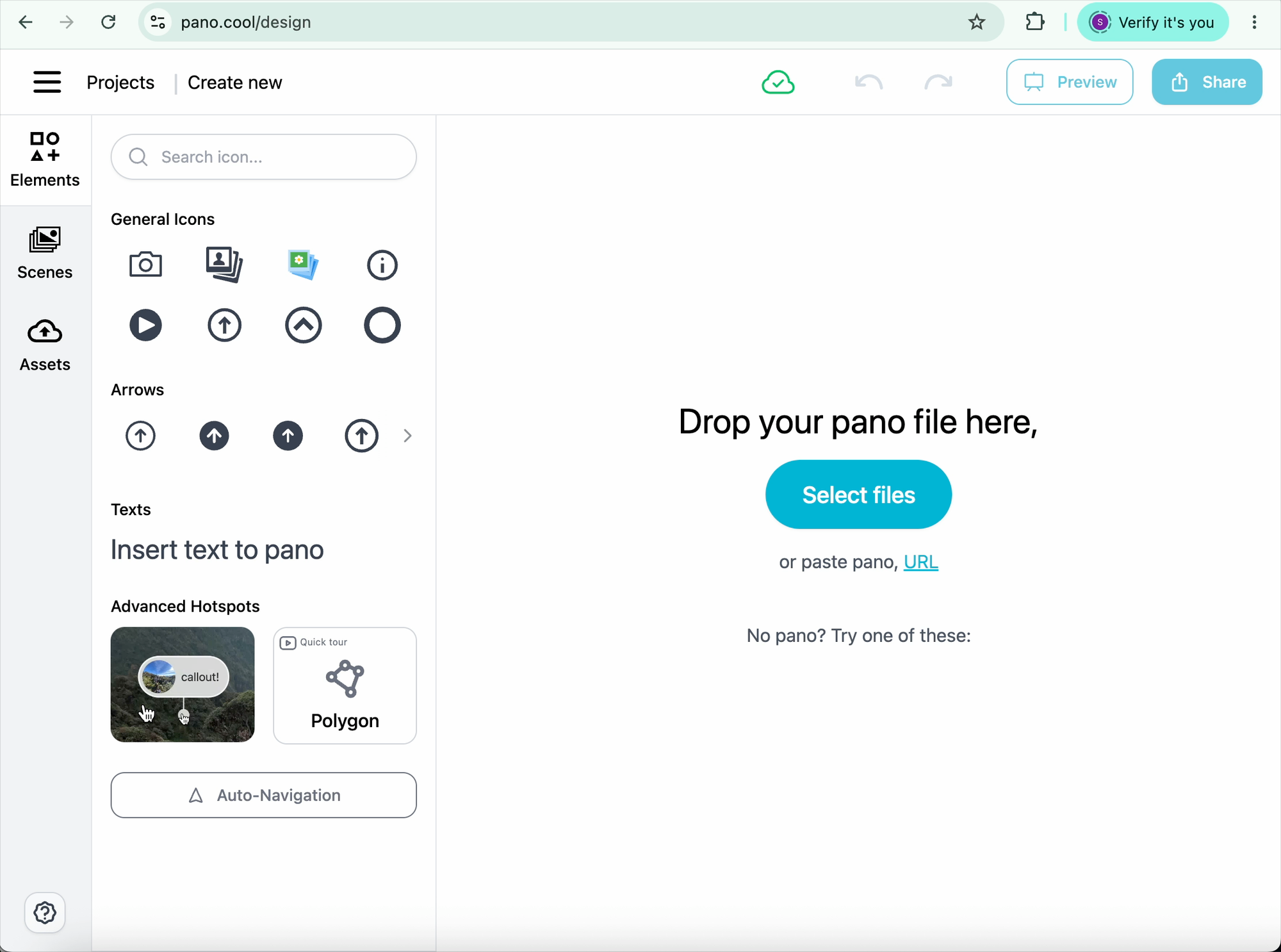
- Click on PanoCool Virtual Tour Studio: https://pano.cool/design.
- Login / Sign Up an account before start
- Click Select Files and choose the 360° photo from your device.
Step 2: Copy the share link
- Once the photo is uploaded, click the Share button.
- The system will automatically generate a link and copy it to your clipboard.
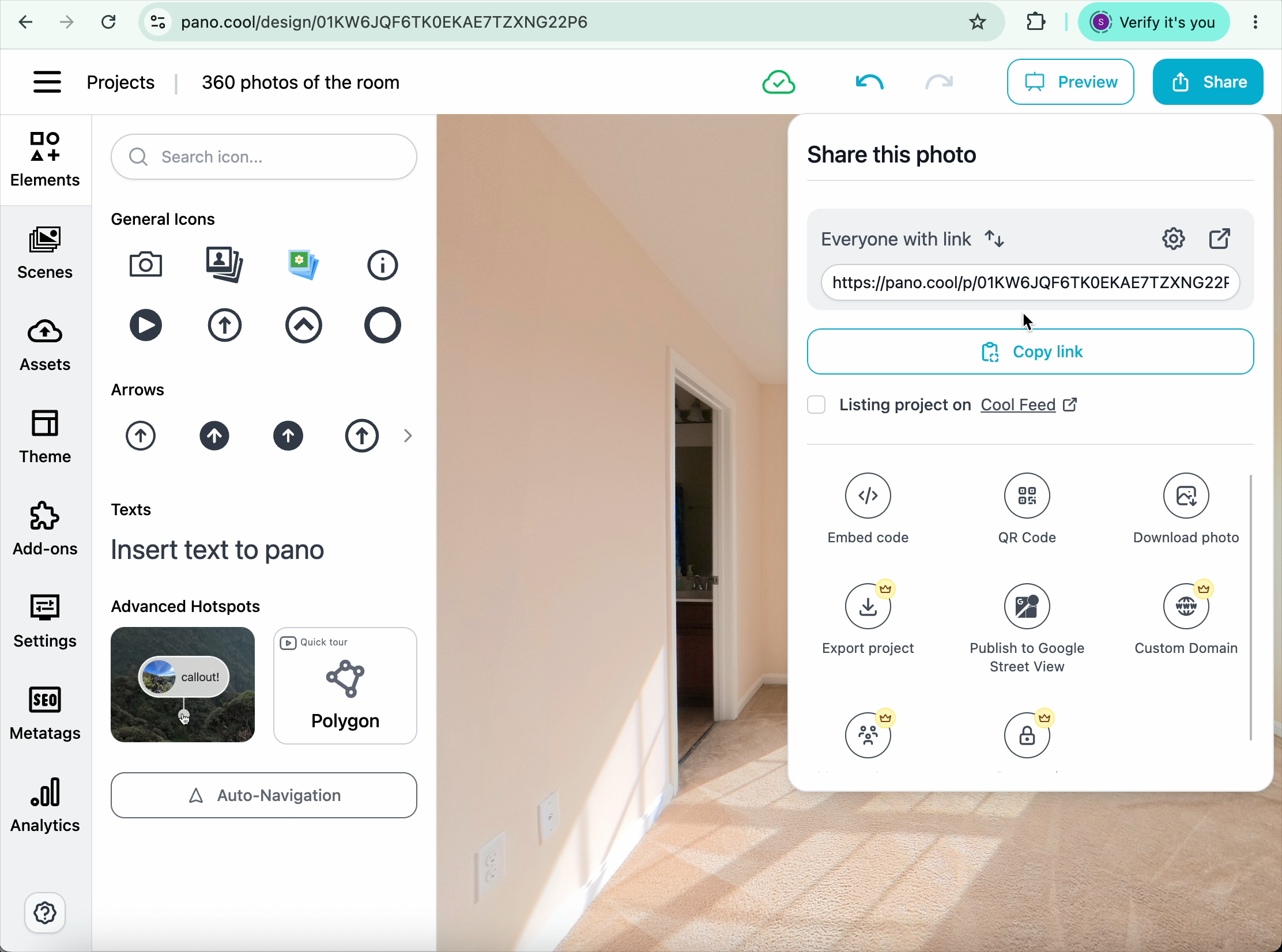
Step 3: Send the link on WhatsApp
- Open your WhatsApp chat.
- Paste the copied link into the message bar and press Send.
How it Works for the Recipient
When your friend clicks the PanoCool link in WhatsApp:
- The interactive photo opens instantly in their default mobile or desktop browser.
- They can drag their finger or mouse across the screen to pan around, look up, and look down in full 360 degrees.
- They do not need to download any apps to view the image.