Real Estate Virtual Tour with Drone Views, Hotspots & Project Boundaries
For real estate, location is one of the most important selling points. A property is not only valuable because of its design, size, or price. Its surroundings also matter: nearby roads, beaches, tourist attractions, hospitals, schools, commercial areas, convention centers, and future development projects can all influence how buyers and investors understand its value.
However, these location advantages are not always easy to present with normal photos, maps, or videos. A map can feel too technical. A video only shows what the editor chooses to show. Static images cannot fully explain the relationship between a property and its surrounding area.
This is where a 360 drone virtual tour becomes a powerful real estate presentation tool.
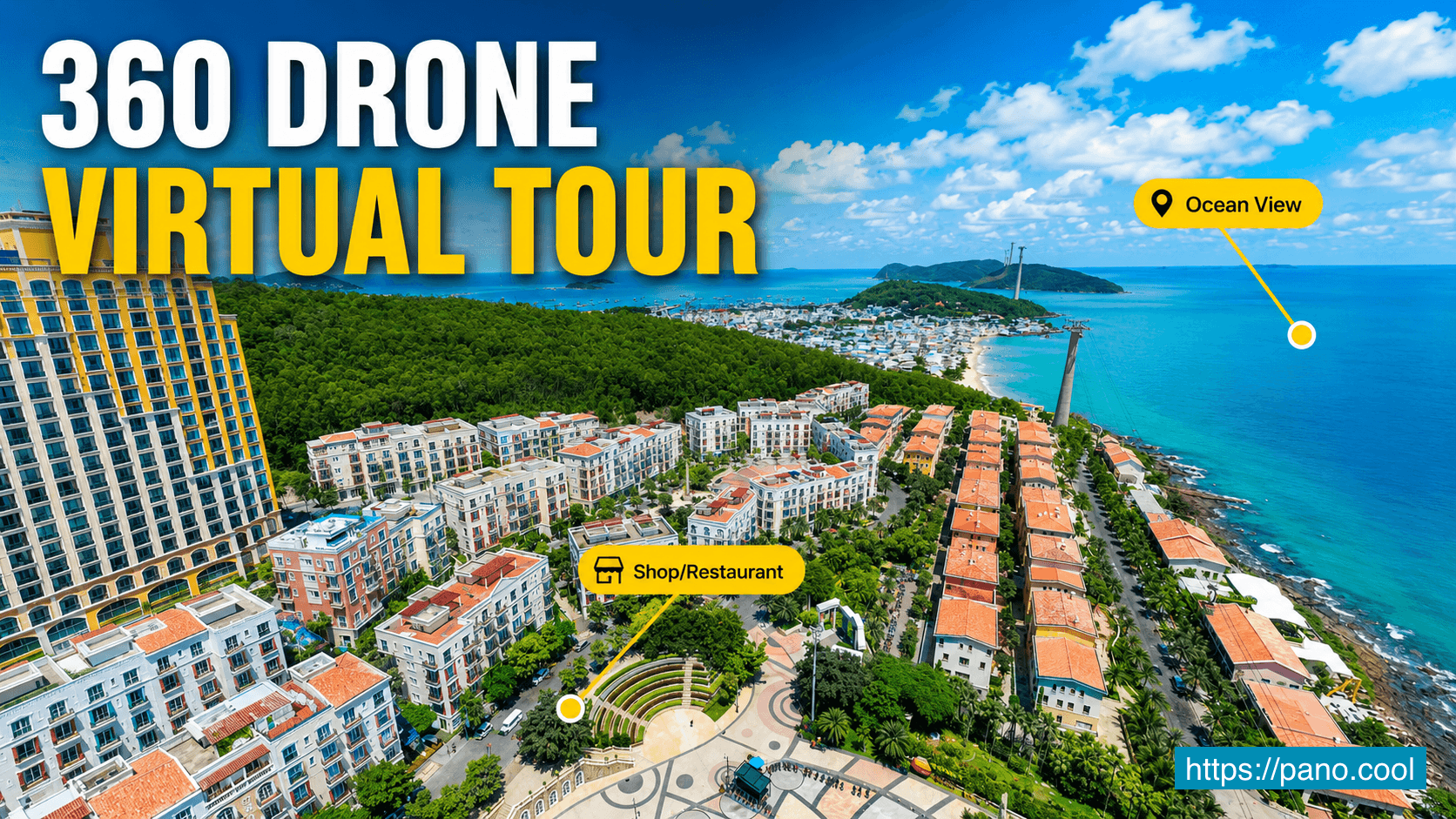
With aerial 360 views, real estate agents and property developers can give customers a clear, interactive, and visual way to explore the full environment around a project.
Why Aerial 360 Views Are Useful for Real Estate
A 360 drone virtual tour gives viewers a complete overview of an area from above. Instead of looking at one fixed photo or watching a linear video, visitors can freely look around in every direction.
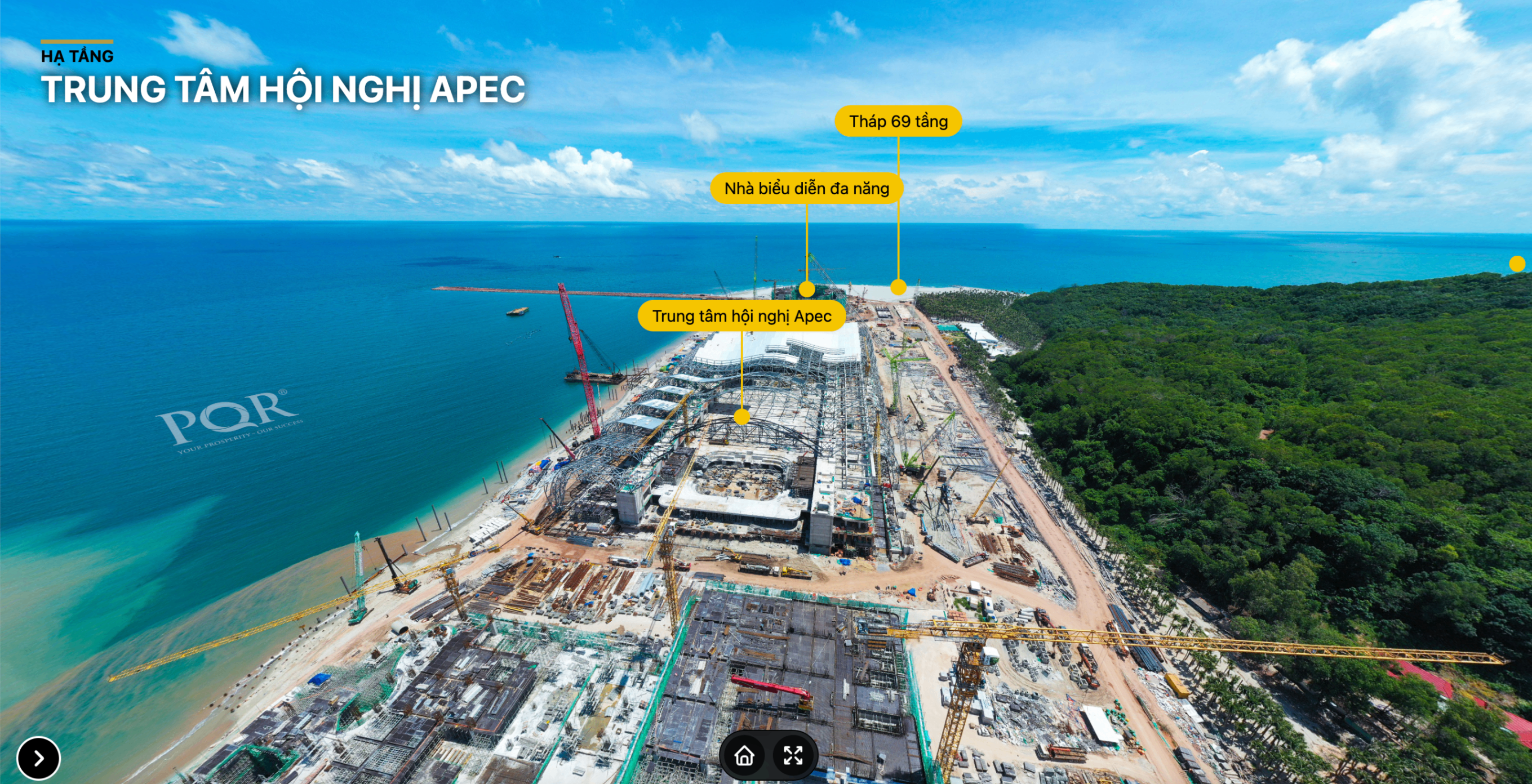
This helps customers better understand:
- Where the property is located
- What surrounds the project
- How close it is to the beach, roads, amenities, and attractions
- How nearby real estate projects are positioned
- The overall development potential of the area
For large development zones, resort areas, coastal properties, and investment projects, this kind of visual context is extremely useful. It helps customers quickly understand the neighborhood without needing to visit the site in person.
Highlight Important Locations with Callout Hotspots
In a 360 drone virtual tour, callout hotspots can be used to mark important places directly inside the aerial view.
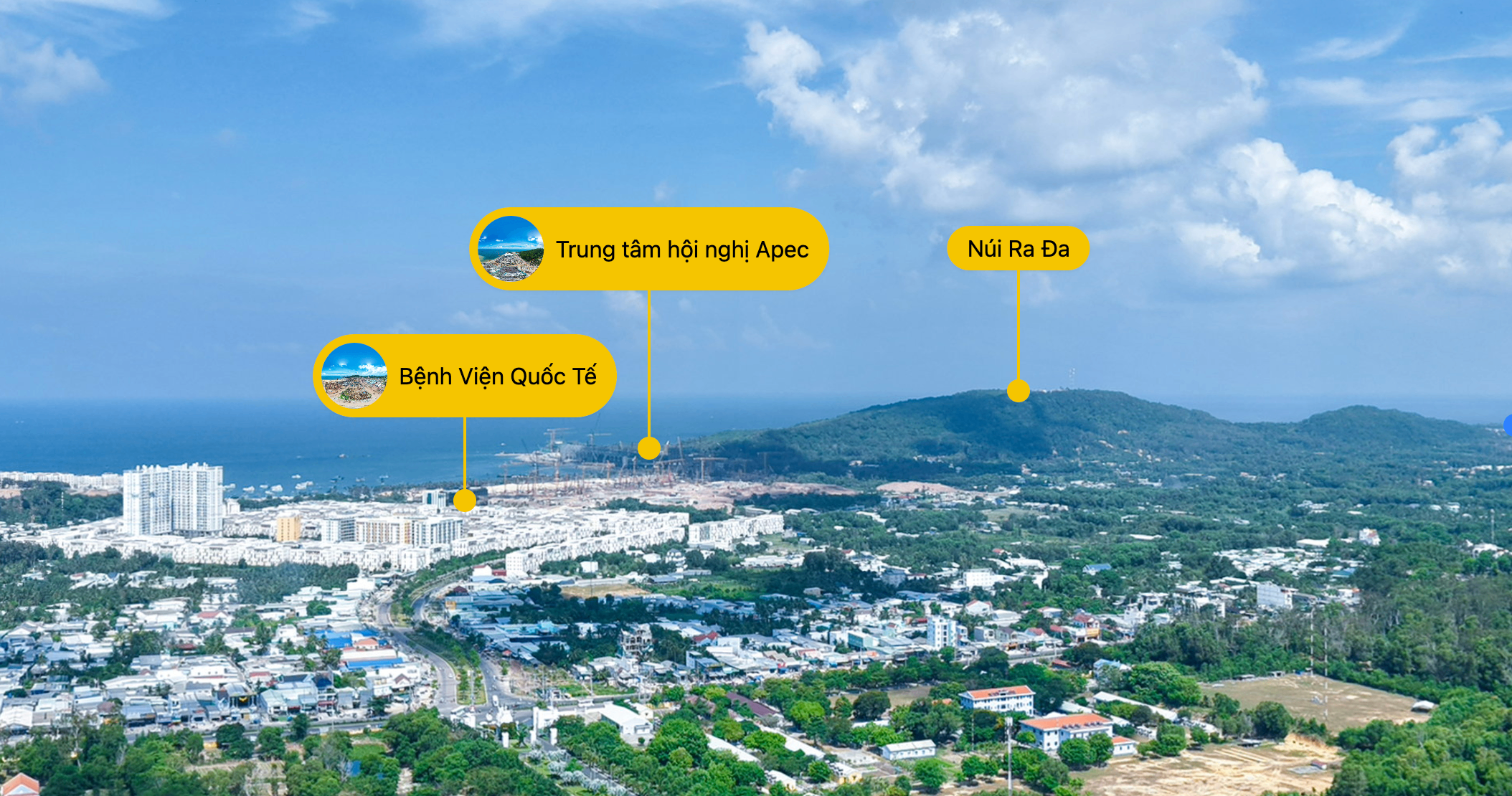
For example, agents can highlight nearby beaches, hospitals, schools, convention centers, tourist destinations, shopping areas, transportation routes, and surrounding real estate projects.
This makes the tour easier to understand, especially for viewers who are not familiar with the location. Instead of guessing what they are looking at, they can immediately see the key points of interest.
For real estate agents, callout hotspots are also useful during sales presentations. They help explain location advantages clearly and visually, making the conversation more engaging and professional.
Navigate Between Multiple Drone Viewpoints
One aerial viewpoint is often not enough to present a large development area.
With a 360 virtual tour, multiple drone viewpoints can be connected together using navigation hotspots. Visitors can click from one drone view to another and explore the area from different angles.
This is helpful when presenting:
- Large residential developments
- Coastal resort areas
- Mixed-use real estate zones
- Land development projects
- Tourism and investment destinations
- Properties surrounded by multiple landmarks
By moving between different drone viewpoints, customers can better understand the scale of the location and how each area connects to the others.
Show Project Boundaries Clearly with Polygon Hotspots
In large real estate areas, customers may easily feel confused about where one project begins and another ends.
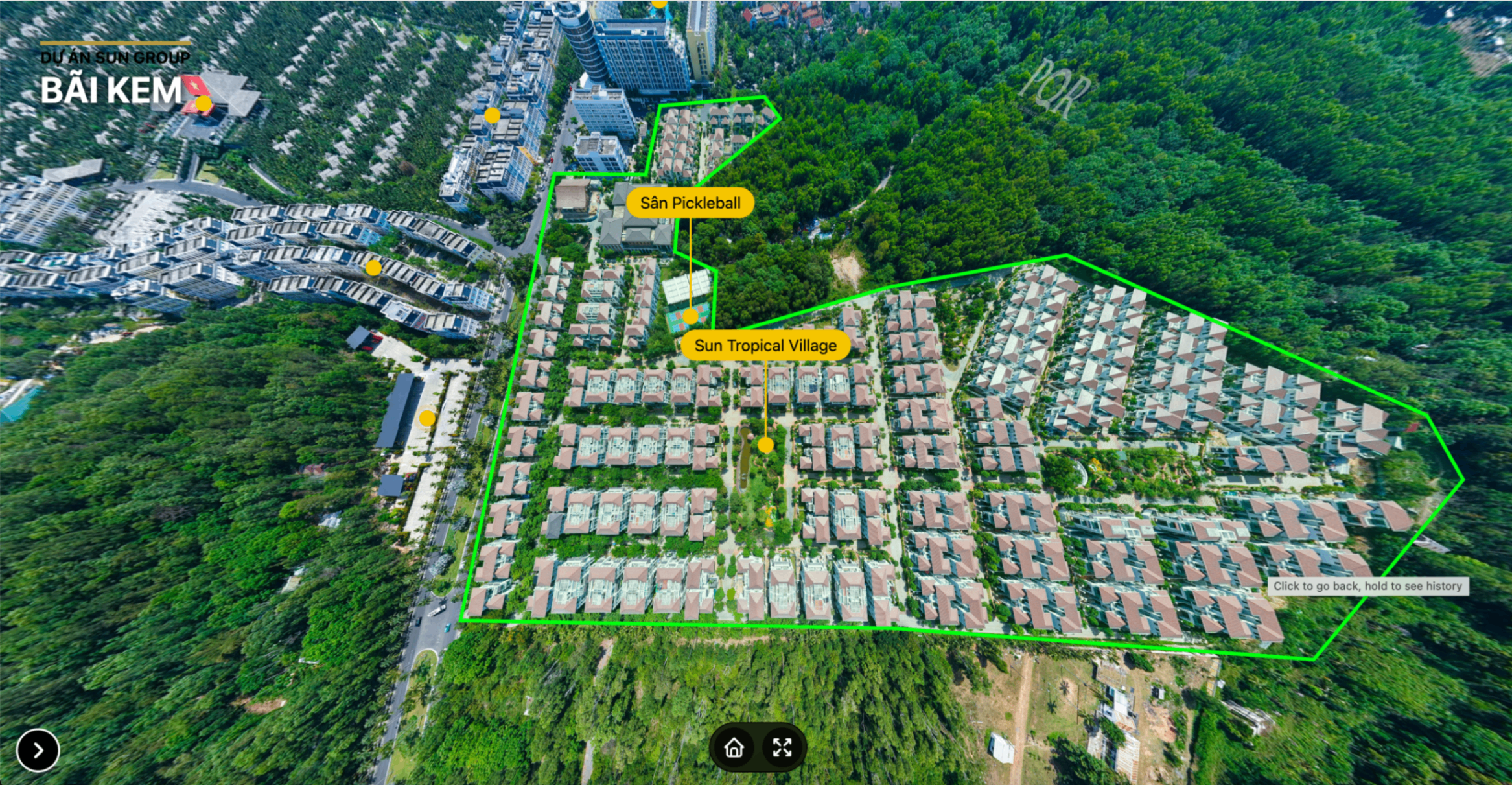
Polygon hotspots help solve this problem by visually marking project boundaries directly on the 360 drone view.
This allows agents and developers to clearly show the shape, size, and position of a project. It also helps customers understand the relationship between the project, nearby roads, beaches, green spaces, buildings, and surrounding developments.
Clear project boundaries make the presentation more transparent and reduce confusion. This is especially valuable when presenting land plots, master-planned communities, resort projects, or investment zones.
Organize the Tour with a Quick-Access Menu
A well-structured virtual tour should not only look good. It should also be easy to navigate.
A quick-access menu allows visitors to jump directly to important areas, project categories, amenities, or contact information. This is useful when the tour contains many viewpoints, hotspots, and sections.
For real estate agents, the menu can include:
- Highlighted locations
- Project categories
- Nearby amenities
- Infrastructure information
- Agent or company details
- Website links
- Phone number and email
- Social media links
This turns the virtual tour into a complete digital presentation that can be shared with customers, embedded on websites, or used during sales meetings.
Benefits for Real Estate Agents
A 360 drone virtual tour gives real estate agents a more effective way to present property locations.
Instead of only describing the surrounding area, agents can show it directly. This helps customers understand the value of the location faster and makes the presentation more convincing.
Key benefits include:
- Better visual explanation of the property location
- More engaging presentation for buyers and investors
- Clearer understanding of nearby landmarks and amenities
- Easier remote viewing for customers who cannot visit in person
- More professional marketing materials for websites and social media
- Stronger support for online sales conversations
- Reduced confusion when presenting large project areas
- Better storytelling around the neighborhood and investment potential
This is especially helpful for real estate agents selling properties in developing areas, coastal destinations, tourism zones, or locations with many nearby projects and attractions.
A Better Way to Present Property Locations
Traditional real estate marketing often focuses on the property itself. But for many buyers and investors, the surrounding area is just as important.
A 360 drone virtual tour helps agents present the bigger picture. It allows customers to explore the area, understand the location advantages, view nearby landmarks, and see project boundaries clearly.
With PanoCool Virtual Tour, real estate agents can create interactive presentations using 360 drone photos, callout hotspots, navigation hotspots, polygon hotspots, custom menus, branding, and contact information.
Whether you are presenting a residential project, resort, coastal property, development area, or investment opportunity, a 360 drone virtual tour can make your presentation clearer, more professional, and more engaging.
Create Interactive Real Estate Virtual Tours with PanoCool
PanoCool helps real estate agents, photographers, and businesses turn 360 photos into interactive virtual tours for property marketing.
You can use PanoCool to create aerial drone tours, highlight important locations, define project boundaries, add navigation points, customize menus, and share your tour with customers through links, websites, social media, email, or QR codes.
Start creating interactive 360 virtual tours with PanoCool:

Youtube Video: