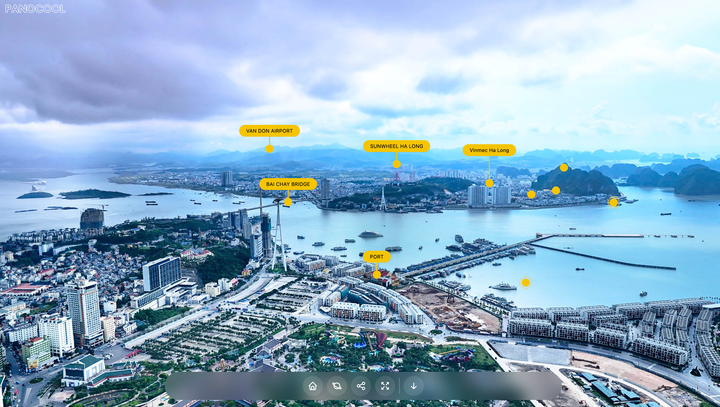
Aerial Pins for 360° Drone Photos: Callout Hotspots in PanoCool Pin schools, parks and train stations on a 360° drone photo, outline the lot and export marketing images, all in PanoCool.
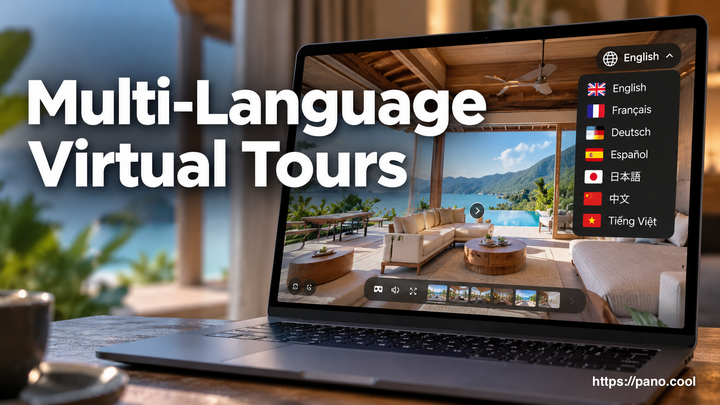
How to set up multi-language virtual tours in PanoCool PanoCool can show one virtual tour in up to five languages, and visitors switch between them with a language selector on the tour. The menu, scene titles, hotspot labels, popups and the viewer's own buttons all change with it, so a guest from Tokyo and a guest from
Running a 360 tour agency on PanoCool You shoot the panoramas, build the tours and keep them online for your clients: real estate agents, hotels, venues, schools. PanoCool can run that whole business under your brand. This guide shows how agencies set it up: one Super Cool account, every client tour on your own domain, client access
Set up a white-label domain for all your virtual tours White Label puts every tour you own on one domain of your own. Instead of pano.cool/@username/villa-rosa, visitors open tours.yourbrand.com/villa-rosa. You connect the domain once, in your account settings. From then on, each tour you own opens there by its project slug, with
How to Create a 3D House Tour from Insta360 X6 Photos with AI Auto Connect Creating a 3D house tour used to mean spending a lot of time manually placing scenes, connecting every 360 photo, and building navigation one hotspot at a time. With an Insta360 X6 and PanoCool AI Auto Connect, you can make the process much faster. In this guide, we’ll turn
How to Create a Day & Night Effect for 360 Photos A single 360 photo can already give visitors a good sense of a place, but sometimes you want to show how the same location changes throughout the day. For example, a restaurant may feel completely different at night when the lights come on. A resort may look brighter and more
Create a 360 Virtual Tour in Minutes with AI Auto Connect Creating a connected 360° walkthrough normally takes time. After taking your photos, you may need to place every scene on a floor plan, work out where each photo belongs, and manually create the connections between them. With PanoCool AI Auto Connect, much of that work can now be done automatically.
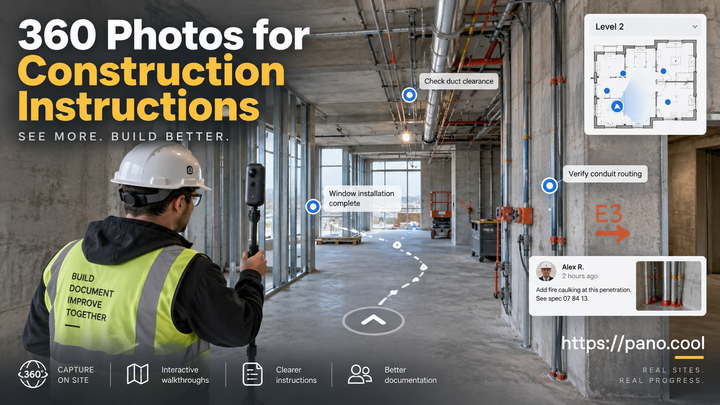
How to Use 360 Photos for Construction Site Instructions and Documentation Construction sites change every day. Walls go up, utilities are installed, equipment moves, issues are discovered, and completed work can quickly become hidden behind the next stage of construction. Because of that, good visual documentation is an important part of almost every construction project. Traditional photos are useful, but they
PanoCool Library: Reuse Assets, Styles, Content, and Elements When building a virtual tour, you often reuse the same things again and again: logos, images, videos, styled callouts, popups, galleries, or even complete interactive elements. The Library gives you one place to keep all of these reusable items and quickly add them to any scene. Previously called Assets, the
What’s the Best Way to Edit 360 Photos with AI? AI photo editing has become incredibly powerful. You can remove unwanted objects, replace parts of a scene, fix damaged areas, change furniture, improve landscapes, or simply describe what you want changed with a text prompt. But if you work with 360° photos, also known as spherical or equirectangular photos, things
A Free Desktop App for viewing 360 Photos with Simple Editing Tools Working with 360° photos often involves more steps than working with regular images. Even when a panorama is already stored on your computer, viewing it properly usually requires dedicated software or uploading it to an online viewer. PanoCool Desktop provides a simpler option: a free desktop app for viewing 360°
How to Remove a Tripod from 360 Photos Without Ruining the Floor Pattern Removing a tripod is one of the most common retouching tasks when working with 360 photos. But there's an extra challenge when your tripod is sitting on a patterned floor. Simply erasing the tripod isn't enough. The missing area needs to be reconstructed so that the
How to use Spatial Capture with Insta360 X6 Insta360 introduced a new Spatial Capture feature alongside the Insta360 X6 release. Instead of simply recording a 360 video that you rotate and watch from a fixed position, Spatial Capture processes your footage into a 3D digital space that you can actually move around inside. This post shows you a
Best 360 Camera for Real Estate in 2026 Choosing a 360 camera for real-estate photography can be confusing. Every manufacturer advertises high resolution, large sensors and impressive megapixel numbers. But those specifications do not always tell you how the finished property tour will look—or how much work it will take to create. For real-estate photography,